

RESPONSIBLE AI: VALIDATION, DISCLOSURE AND MONITORING
Adopt AI without losing a say over what gets published, what readers are told and what it costs. Four controls, all running on our Drupal AI demo site.
Controls that make AI adoption defensible
- Validation: a vision model checks every uploaded image against general safety rules and your own publication rules, and the media library refuses what breaks them.
- Disclosure: readers see how AI was involved in a page, in line with the EU AI Act; machines get the same facts as structured data; the site keeps a compliance report.
- Observability and guardrails: every AI request is logged with its prompt, answer and tokens, and guardrails block requests that contain personal data or unsafe prompts.
- Metering: token usage and cost per call, per user and per role, with budgets and a personal usage page for every editor.
All four run on aidemo.brainsum.com, our public Drupal AI demo site, each with a step-by-step walkthrough. Disclosure can be seen without logging in; the others are editor-side features.
Image validation: what the media library refuses
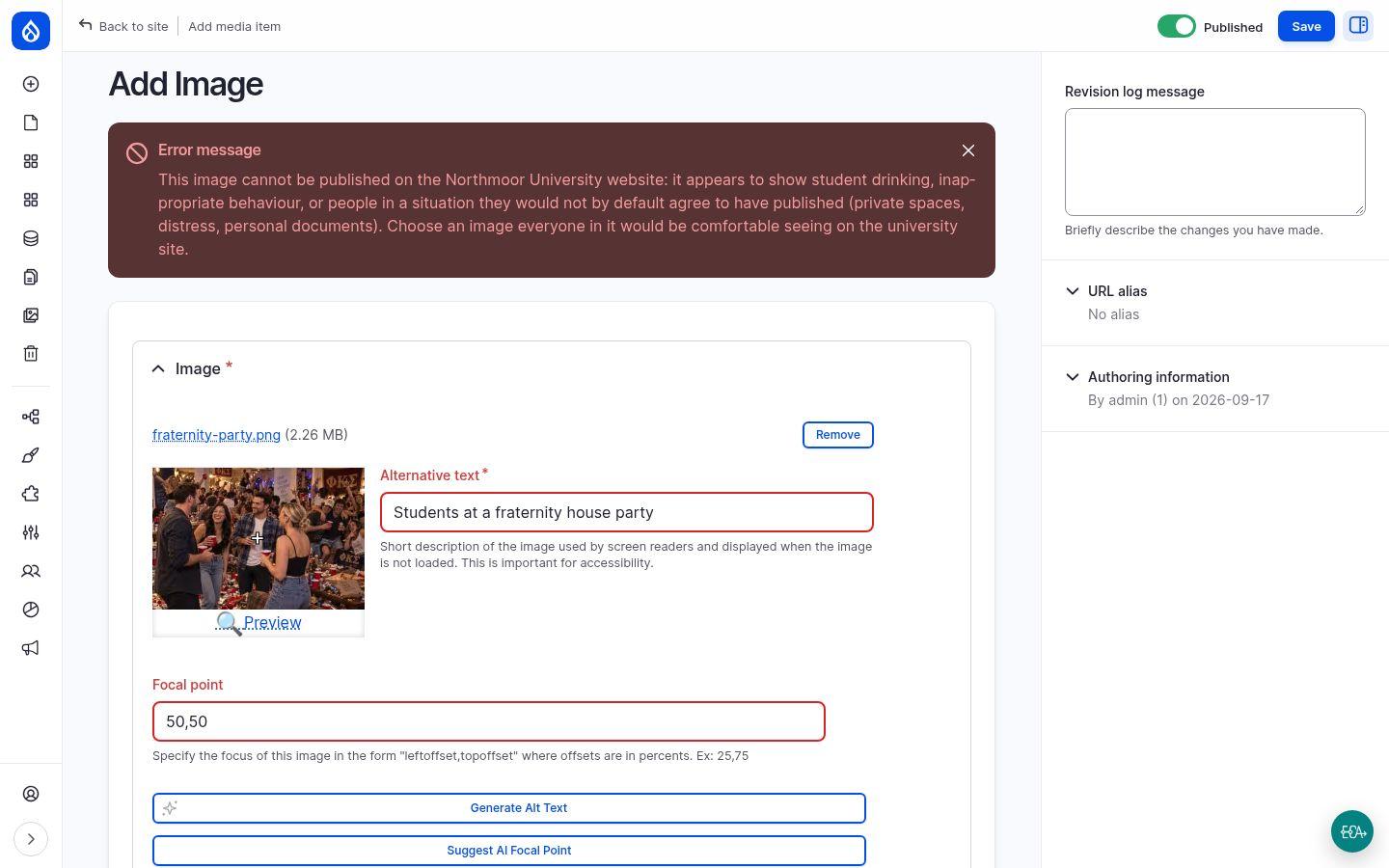
Every image added to the demo's media library is looked at by a vision model before it is saved, twice. The first rule is general image safety. The second is the site's own publication rules: no student binge drinking, no inappropriate behaviour on camera, nothing a person would not by default agree to have published. Formal receptions, sports and campus life pass.
Two pairs of near-identical photos show where the line runs: the same rowing team with and without an obscene gesture, the same four people at an alumni reception and at a house party. One of each pair is saved, the other is refused with a message the editor can act on. Both rules are plain-language prompts in a field validation rule; edit the prompt and the next upload follows the new rule.
AI disclosure: telling readers when AI wrote the first draft
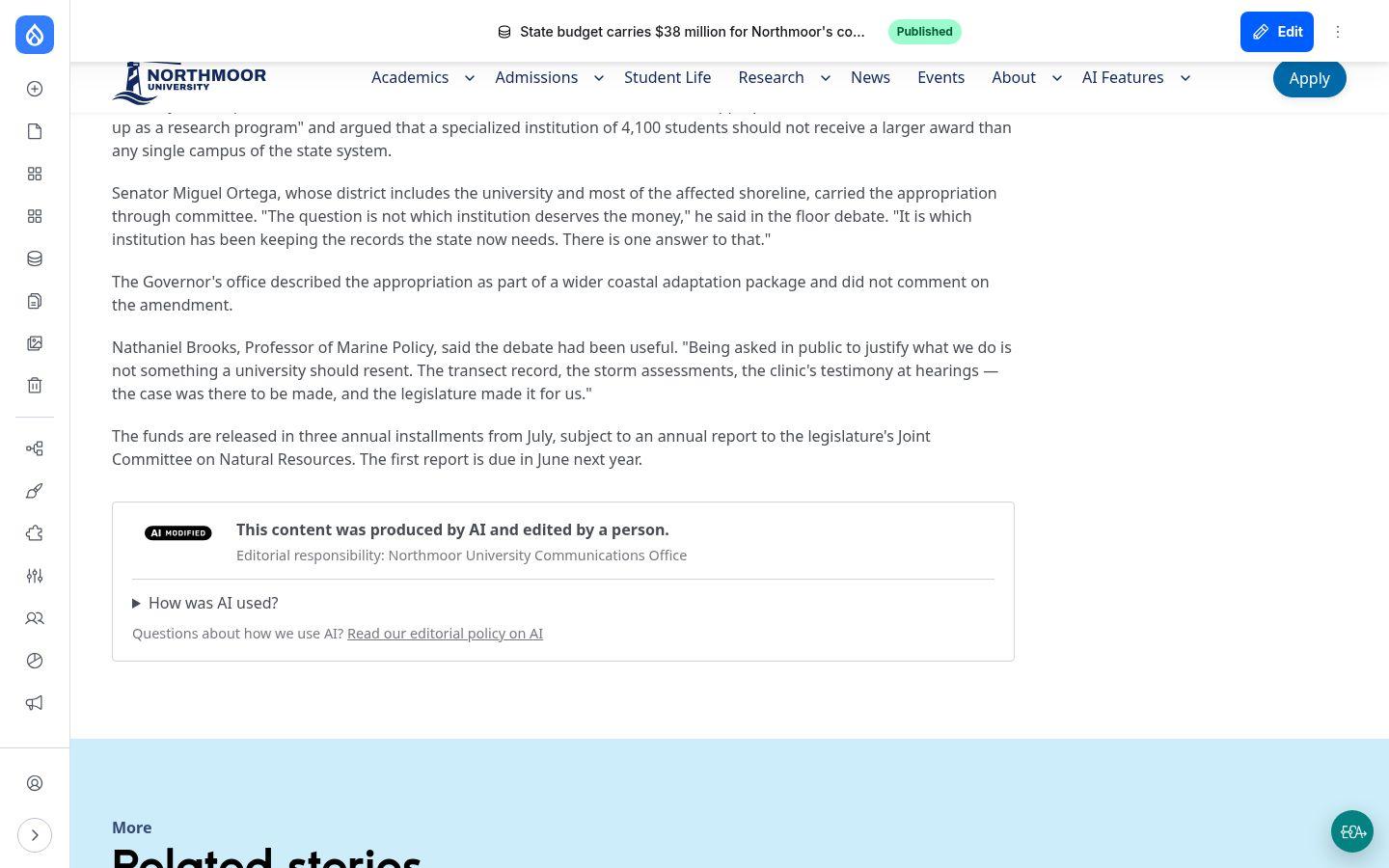
On a disclosed page the reader sees a card under the text with the European Commission's "AI modified" icon, a plain sentence about how AI was involved, who answers for the piece and a link to the organisation's AI policy. Machines get the same facts as schema.org JSON-LD and a meta tag, and the site keeps a report of every page's status under the EU AI Act.
For editors, disclosure is one choice in a select: the organisation writes its disclosure profiles once ("AI drafted, human reviewed", for example), and each profile resolves to the involvement grade, the review status and the wording on the card. A custom mode covers the cases the profiles do not fit.
Observability and guardrails: every request on record
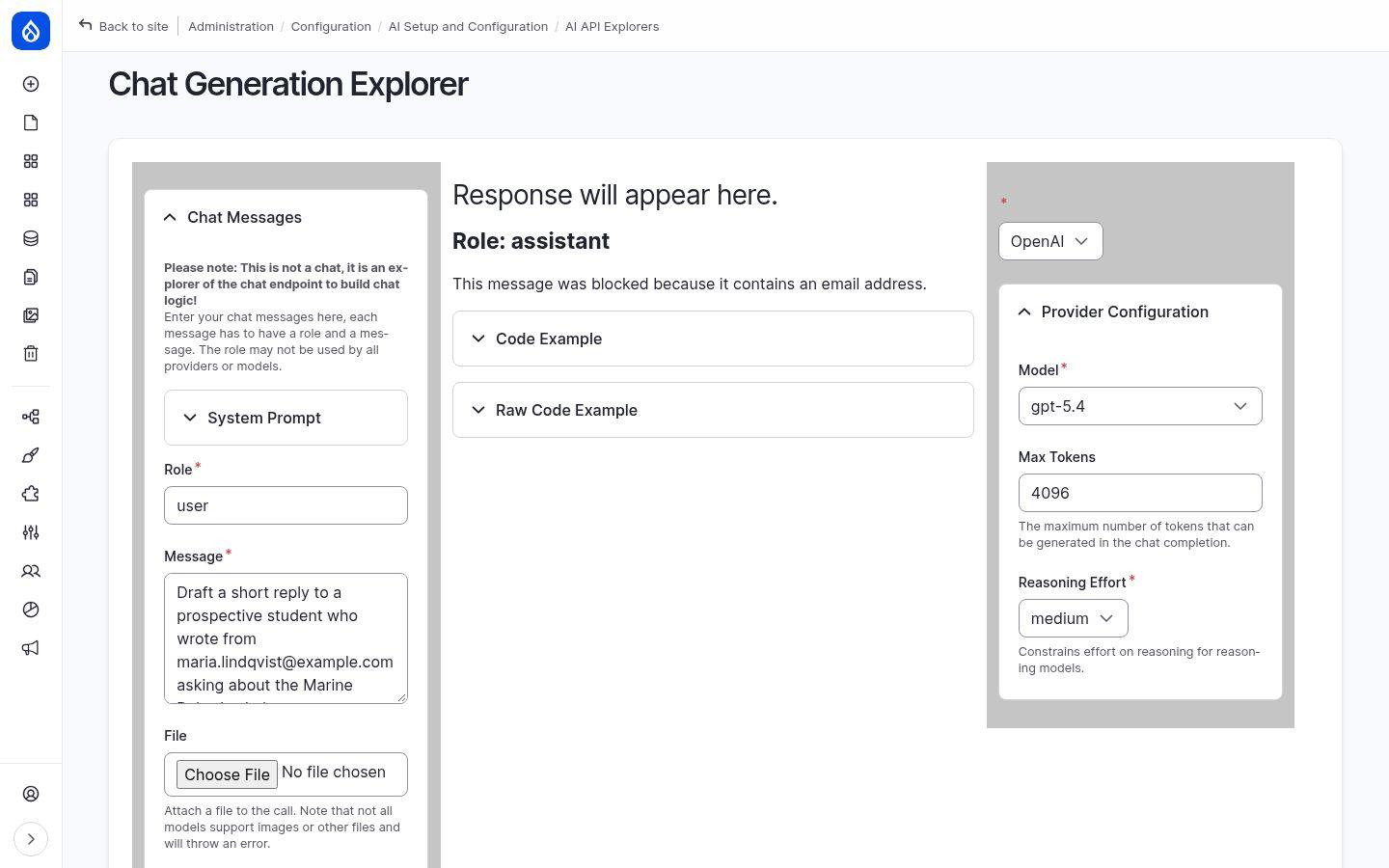
Every AI call the site makes, from the chatbot, the translation button, an automator or a developer tool, is recorded: which provider and model answered, how many tokens it cost, the prompt that went in and the answer that came back. Reports show request volume, tokens by model and trends over time, filtered by date, provider, model, operation or user.
Guardrails sit in front of the model. On the demo a request that contains an email address is stopped by the PII protection set before it leaves the site, and the same reports show which check ran, what it decided and why. The same mechanism blocks unsafe prompts or enforces your own rules.
Metering: what AI costs, per user and per role
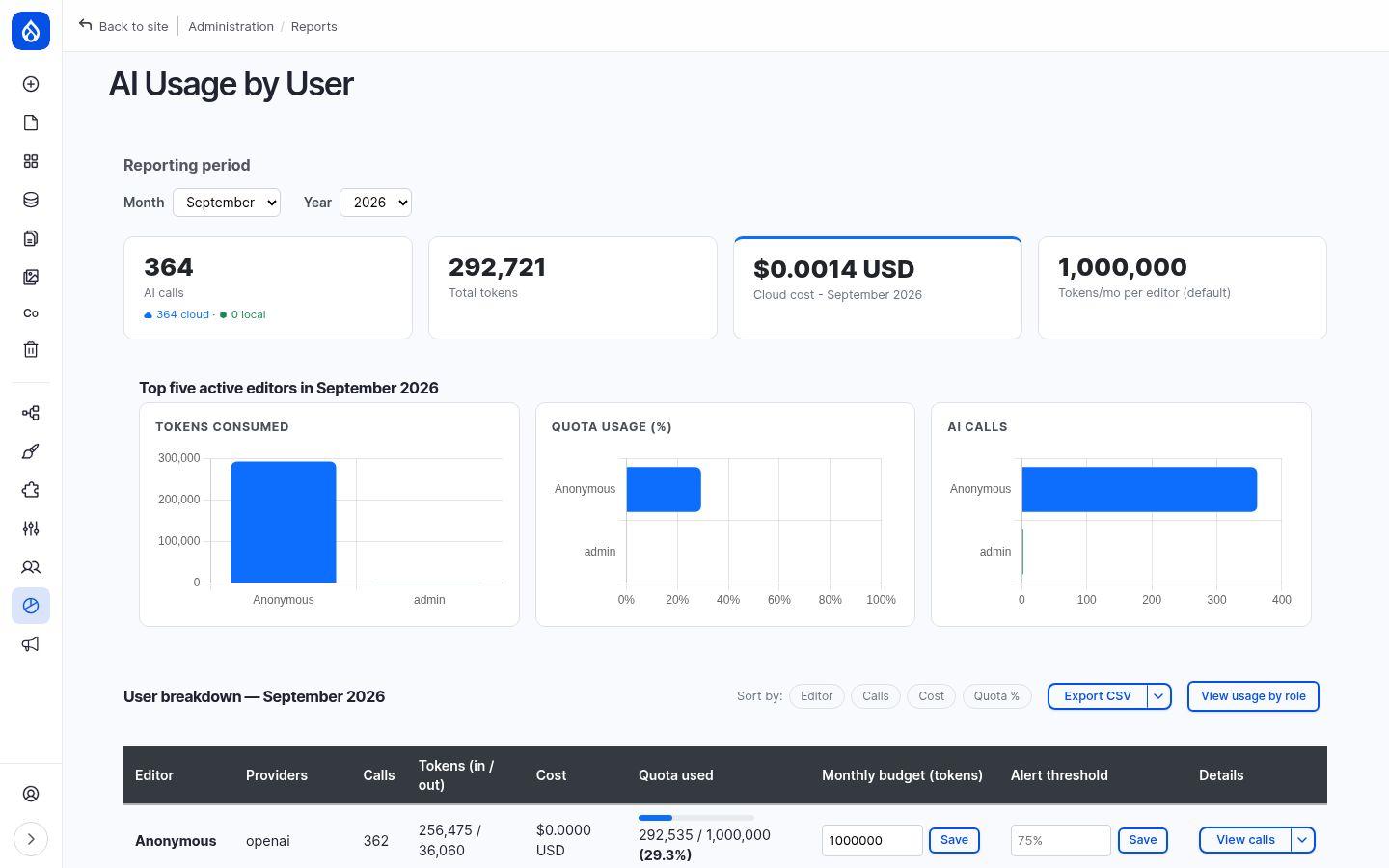
Every call is metered: who made it, which provider and model answered, tokens in and out, latency and cost in dollars, priced from a synced list that covers the models of all major providers, with your own overrides. A monthly dashboard per user and per role shows where the budget goes; a per-call log exports to CSV.
Editors do not need the reports to keep an eye on themselves: a personal usage page shows their tokens against a monthly budget, with an alert threshold the site owner sets per user.
How it works, and why it stays yours
- Rules in plain language, stored as configuration. Image validation rules are field validation rules on the media type: a prompt and the message the editor sees. Guardrail sets and disclosure profiles are configuration too, exportable and reviewable like the rest of your site.
- Nothing bypasses the checks. Validation runs before Drupal saves; a refused upload or comment is never stored. Guardrails run before a request leaves the site, so blocked prompts are not sent to the provider at all.
- Disclosure for people and machines. The reader sees a card; search engines and AI crawlers see schema.org data and a meta tag; the compliance report lists every page's status, so the EU AI Act transparency duty is auditable, not a promise.
- Costs before they surprise you. Prices are attached when a call is made, budgets and alerts are set per user, and the log tells you what a site-wide operation such as a review or translation run cost.
- Any model, including your own. Drupal AI integrates 48 providers, among them OpenAI, Anthropic, Google Gemini, Mistral, AWS Bedrock and Azure, as well as local models through Ollama or LM Studio for content that must not leave your infrastructure. The controls above work the same with each.
See the controls on the demo, then talk to us
Open a disclosed story on the demo site and expand "How was AI used?", then tell us which rules, disclosures and budgets your organisation needs. We set them up as part of every AI integration we deliver, not as an afterthought.